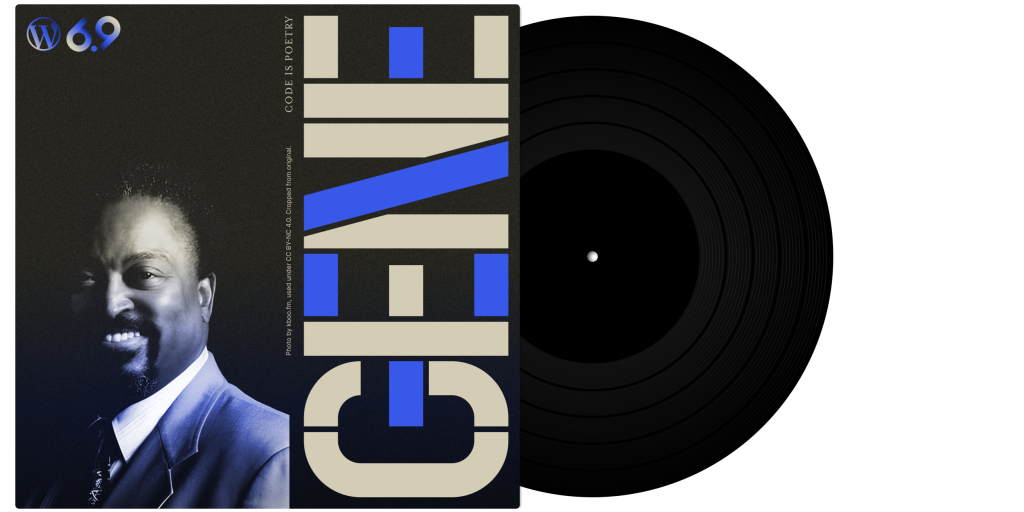
WordPress 6.9, code-named “Gene,” launched on December 2, 2025 with improvements that actually matter for small business websites. After a challenging year for WordPress – where only one major release was initially planned – version 6.9 arrived with features focused on making everyday website management easier.
If you’re running a small business website on WordPress, here’s what changed and whether you should care.
What Actually Changed in WordPress 6.9
WordPress 6.9 focused on three main areas: improving team collaboration, adding creative blocks for better content, and delivering performance improvements behind the scenes. Let’s break down what actually matters for your business.
1. Block-Level Notes (Game Changer for Collaboration)
What it means: You can now leave comments directly on individual blocks within your WordPress editor – like commenting on a Google Doc, but for your website.
Why you should care: If you work with anyone else on your website – a copywriter, designer, marketing person, or team member – this changes everything. Instead of emailing “change the text in the third paragraph,” you can leave a comment directly on that specific block. Comments are threaded, resolvable, and trigger automatic email notifications.
Real-world impact: Dramatically faster website revisions and updates. No more confusion about which section needs changes. No more screenshots with red circles. The feedback lives exactly where it belongs – on the actual block that needs work.
2. Hide and Show Blocks (Finally!)
What it means: You can toggle blocks on and off without deleting them.
Why you should care: Got seasonal content? Limited-time promotions? Event announcements you’ll need again next year? Instead of deleting blocks and recreating them later, just hide them. They stay in your content, invisible to visitors, ready to unhide when needed.
Real-world impact: Stop losing content you spent time creating. Hide your summer promotion in fall, unhide it next spring. No more maintaining duplicate pages or storing content in documents somewhere.
3. Accordion Block (No Plugin Needed)
What it means: Built-in collapsible sections where headings expand to show content when clicked.
Why you should care: Perfect for FAQs, product details, service descriptions – anywhere you want to show headings but hide details until someone actually needs them. Previously required a plugin. Now it’s built into WordPress.
Real-world impact: Cleaner pages, better user experience, one less plugin to manage and update. If you’ve been using an accordion plugin, you can probably remove it.
4. Visual Drag and Drop with Live Preview
What it means: When you drag blocks around, you now see exactly where they’ll land before you drop them.
Why you should care: Building and reorganizing pages is faster and less frustrating. No more guessing, dropping, checking, undoing, and trying again.
Real-world impact: Easier page editing means you’re more likely to keep your content fresh and organized. Small improvement, but you’ll notice it every time you edit a page.
5. Dashboard-Wide Command Palette
What it means: Press Ctrl+K (or Cmd+K on Mac) anywhere in WordPress to instantly search for pages, posts, settings, or actions.
Why you should care: Instead of clicking through multiple menus to find that one page you need to edit or that setting you need to change, just open the Command Palette, type what you’re looking for, and jump there instantly.
Real-world impact: Faster website management. This is one of those features that seems minor until you use it—then you wonder how you managed without it.
6. New Content Blocks
WordPress 6.9 added several new blocks:
Time-to-Read Block: Automatically shows estimated reading time for your content. Readers appreciate knowing if they’re committing to 2 minutes or 10 minutes.
Math Block: For technical or educational content, displays mathematical equations properly using LaTeX formatting.
Term Query Block: Makes it easier to create category and tag archive pages without custom code.
Comment Count and Comment Link Blocks: Better control over where comment information appears.
Real-world impact: More options for creating professional-looking content without plugins or custom code.
7. Performance Improvements You Won’t See (But Will Feel)
WordPress 6.9 includes several behind-the-scenes optimizations:
- On-demand block CSS: Only loads styles for blocks actually used on a page (not styles for every possible block)
- Optimized cron execution: Schedules background tasks to run after page loads, improving Core Web Vitals
- Better template output: Reduces CSS bloat and loads styles more efficiently
Why you should care: Faster page loads mean better user experience, improved Google rankings, and higher conversion rates. Slow sites lose customers.
Real-world impact: Your site loads faster without you doing anything. These improvements add up across your entire site, especially on content-heavy pages.
What This Release Means for Small Businesses
WordPress 6.9 is particularly notable for what it represents: resilience and continued innovation despite challenges.
In April 2025, Automattic announced only one major release (6.8) would happen that year due to legal issues, resource constraints, and organizational restructuring. Many website owners worried about WordPress’s future.
WordPress 6.9’s December release demonstrated the project remains strong, actively developed, and committed to improvement. For small business owners, this means WordPress continues to be a reliable, actively developed foundation for your website.
Should You Update to WordPress 6.9?
Yes, but smart updating means doing it right.
Before You Update:
- Backup your entire site (database and files). If you’re on one of our maintenance packages, this happens automatically before every update. Managing your own site? Use a reliable backup plugin like UpdraftPlus.
- Test in a staging environment if possible. Create a copy of your live site, update that copy first, verify nothing breaks, then update your live site.
- Check plugin and theme compatibility. Most reputable plugins and themes were ready for WordPress 6.9 before release, but if you’re using obscure or outdated plugins, check compatibility first.
After You Update:
- Test your site thoroughly. Click through main pages, test contact forms, verify e-commerce checkout (if applicable), confirm images load, ensure navigation works.
- Check your site speed. Run a quick test with Google PageSpeed Insights or GTmetrix. The update should improve performance, but verify.
- Review your customizations. If you have custom CSS, custom functionality, or theme modifications, ensure they still work correctly.
Common Questions About WordPress 6.9
Q: Will updating break my site?
Unlikely if you’re using quality themes and plugins, but it’s possible. This is why we test updates in staging environments and maintain backups. If something breaks, it can usually be fixed quickly or rolled back.
Q: Do I have to use the new features?
No. Most WordPress features are additions, not replacements. You can continue using WordPress exactly as you have been. The new features are available if you want them.
Q: How do I update WordPress?
If you see an update notice in your WordPress dashboard, you can usually click “Update Now” and WordPress handles it automatically. However, always backup first. If you’re not comfortable managing updates yourself, our maintenance packages handle updates, testing, and backups for you.
Q: What happens if I don’t update?
Your site continues working – until it doesn’t. Security vulnerabilities accumulate, plugin compatibility degrades, eventually something breaks. It’s like never changing your car’s oil: works fine until suddenly it catastrophically doesn’t.
Q: I heard WordPress had a difficult year. Should I be concerned?
2025 was challenging for WordPress due to legal disputes and organizational changes at Automattic. The fact that WordPress 6.9 shipped – with genuinely useful features—demonstrates the project’s strength and the community’s commitment. WordPress powers 43% of all websites for good reasons: it’s mature, reliable, and actively maintained by a huge community.
The Bigger Picture: Why WordPress Updates Matter
WordPress 6.9 isn’t revolutionary – it’s evolutionary. Incremental improvements that make the platform better over time. But updates matter for reasons beyond new features:
Security: Every WordPress release includes security patches. Outdated WordPress installations are the #1 target for hackers. Keeping WordPress updated isn’t optional if you care about your website’s security.
Compatibility: As plugins and themes update to work with the latest WordPress version, they gradually drop support for older versions. Running outdated WordPress eventually means your plugins stop working correctly.
Performance: Cumulative performance improvements add up. A site running WordPress 6.9 with modern plugins will outperform the same site running WordPress 6.6 with older plugins – even without other changes.
The Bottom Line for Small Business Websites
WordPress 6.9 delivers practical improvements that make managing your website easier and improve performance. Block-level Notes alone is worth the update if you collaborate with anyone on your site. The Hide and Show feature stops you from losing seasonal content. The Accordion block eliminates another plugin. And the performance improvements help your site load faster.
But the real reason to update isn’t the new features – it’s the security patches, compatibility improvements, and continued support. Running outdated software on your business website creates unnecessary risk.
If you’re managing your own WordPress site, update it (after backing it up). If you’d rather not worry about testing, compatibility, and potential issues, our maintenance packages handle updates, backups, and testing for you – so your site stays current without you having to think about it.
Need Help with WordPress Updates?
Whether you’re running the latest WordPress 6.9 or several versions behind, we can help. Our WordPress maintenance packages start at $99.95/month (CAD, plus GST) and include:
- Tested updates (WordPress core, plugins, themes)
- Verified backups (tested to ensure they actually work)
- Security monitoring and daily scans
- Monthly development time for content changes
- Email support with 24-hour response time
Not sure if you should update? Contact us for a free website health check. We’ll review your current WordPress version, identify any security issues, and recommend a safe update path.
Your website is too important to leave running on outdated software. Let’s make sure it’s current, secure, and performing its best.